
Built for Individual LTC Homes and Hospitals
Ontario Hospital Emergency Color Codes: OHA Guidelines
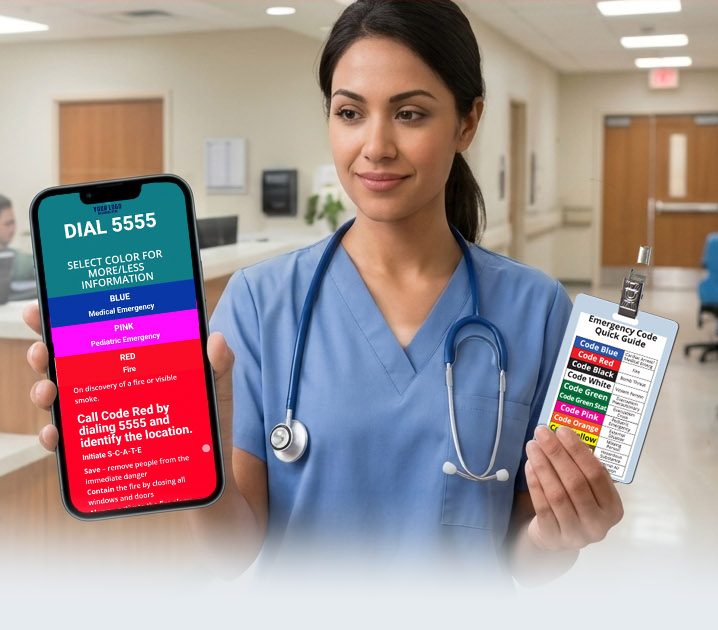
Master Healthcare Emergency Color Codes Reference Guide
What do the color codes mean?
Ontario Hospital Emergency Color Codes: OHA Guidelines
In Ontario, healthcare facilities rely on standardized emergency color codes to quickly alert hospital staff, security, and emergency responders to critical incidents. Overseen by guidelines established by the Ontario Hospital Association (OHA), these color-coded announcements help maintain rapid response protocols while minimizing public panic across Ontario hospitals, long-term care homes, and clinical settings.
Standard Ontario Emergency Color Code System
Below is the complete list of emergency color codes officially recognized and utilized throughout Ontario hospitals under OHA emergency preparedness frameworks:
| Color Code | Emergency Classification | Ontario Response Protocol |
|---|---|---|
| Code Red | Fire / Smoke | Follow REACT/RACE protocol: Remove persons in immediate danger, Enclose/Contain fire, Activate alarm, Call internal emergency line, Try to extinguish if safe. |
| Code Blue | Adult Medical Emergency / Cardiac Arrest | Immediate dispatch of the hospital resuscitation team to the specified location for adult cardiac or respiratory arrest. |
| Code Pink | Pediatric Medical Emergency | Targeted resuscitation team response for infant or child cardiac/respiratory emergencies. |
| Code White | Violent / Aggressive Behavior | Trained staff and security respond to manage physical aggression, verbal threats, or unsafe patient behavior. |
| Code Purple | Hostage Situation / Hostile Intruder | Involves a hostage incident or barricaded hostile person. Security locks down affected zones and notifies police. |
| Code Yellow | Missing Patient / Resident | Initiates an immediate perimeter search and facility lockdown for a vulnerable, cognitive-impaired, or high-risk missing patient. |
| Code Amber | Child / Infant Abduction | Immediate lockdown of facility exits, elevator holds, and perimeter checks for suspected infant or child abduction. |
| Code Brown | Hazardous Chemical / Biological Spill | Containment response for internal hazardous chemical, biological, or radiological spills requiring specialized cleanup. |
| Code Black | Bomb Threat / Suspicious Object | Implementation of bomb threat reporting protocols, search sweeps, and coordination with local police. |
| Code Silver | Active Shooter / Person with Weapon | Active shooter or weapon threat protocol: Run, Hide, Survive (or local health board specific response). Immediate lockdown. |
| Code Green | Evacuation | Operational evacuation protocol (precautionary or crisis) of a specific ward or the entire hospital structure. |
| Code Orange | External Mass Casualty / Disaster | Hospital prepares for an influx of patients resulting from a community disaster, mass transit accident, or regional crisis. |
| Code Grey | Infrastructure Failure / Air Exclusion | Facility system failure (power outage, water loss, IT failure) or external toxic air intake requiring ventilation shutdown. |
Key Features of Emergency Preparedness in Ontario
While the Ontario Hospital Association (OHA) sets clear standards, individual hospital networks (such as University Health Network, Hamilton Health Sciences, and Ottawa Hospital) apply specific local procedures:
- Code Purple vs. Code White: Ontario specifically maintains Code Purple for hostage or extreme containment events, whereas some other provinces bundle this into Code White or Code Silver protocols.
- Long-Term Care Alignment: Ontario long-term care (LTC) homes follow similar OHA emergency codes under provincial regulatory mandates to ensure staff consistency across healthcare tiers.
- Plain Language Transition: Some Ontario health networks are supplementing color codes with plain-language alerts over public address systems to improve clarity for visitors and multi-lingual staff.
← Return to the Canadian Hospital Emergency Color Codes National Guide
Explore Provincial Emergency Color Codes
Select your province below to view specific emergency code definitions, health authority directives, and downloadable reference materials:
- Ontario Emergency Color Codes – Detailed guide covering Ontario Hospital Association (OHA) emergency management standards.
- British Columbia Emergency Color Codes – Standardized color codes defined by BC Health Authorities.
- Alberta Emergency Color Codes – Alberta Health Services (AHS) provincial color code guidelines.
- Quebec Emergency Color Codes – Standardized alert codes used across Quebec CISSS and CIUSSS networks.
- Nova Scotia & Atlantic Canada Codes – Regional guides for Nova Scotia, New Brunswick, PEI, and Newfoundland & Labrador.
Implementation in 3 Simple Steps

SITE MAPPING
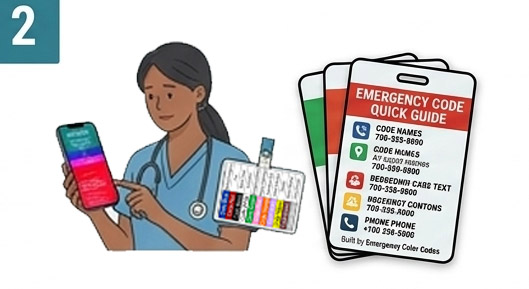
Submit your code definitions, procedures and any other relevant information. We build and configure your custom PWA app for your approval. We also custom design your badge backers labels or entire info badges for your approval,
SOLUTION DELIVERY
After your approval, receive delivery of your custom badge backers and PWA app for your institution. Included is a implementation guide and designed station guides with QR code for installation.
STAFF DISTRIBUTION
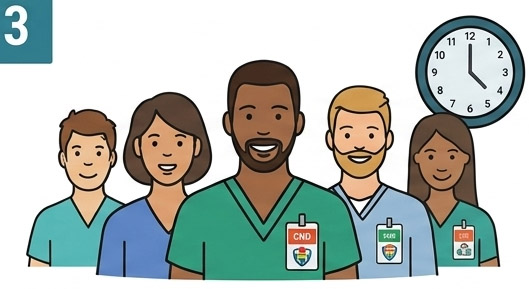
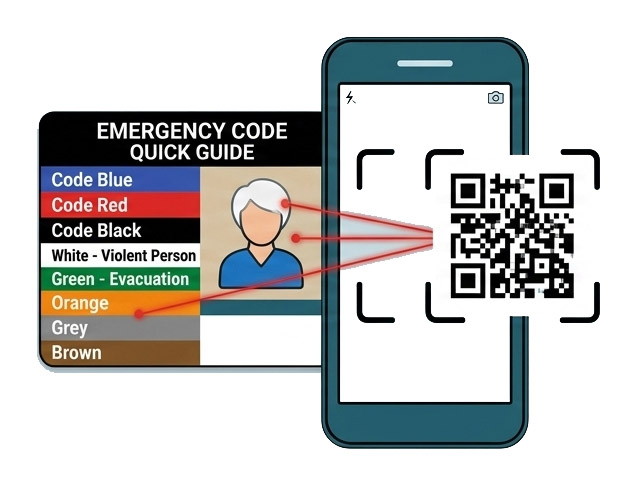
Hand out badges and explain PWA app at shift huddles. Staff can easily scan the QR code to be instantly audit ready. PWA app can also be installed via link on your intranet or via email.
Easy Setup.
How Staff Access.
1. Scan
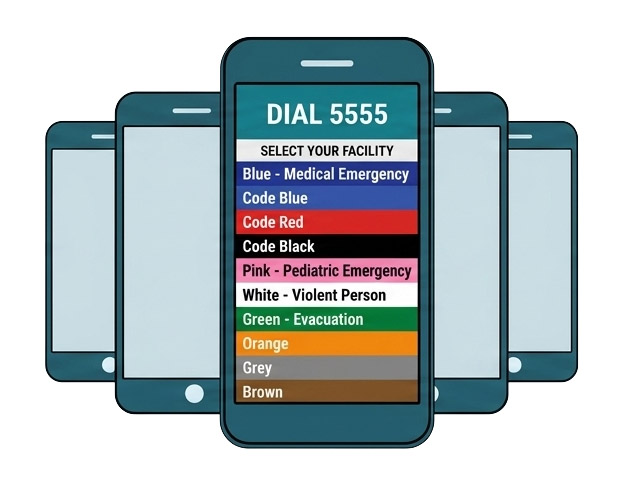
Scan provided QR codes or email links to easily access and install PWA app to device.
2. ACCESS
App opens instantly. Zero logins. Zero passwords
3. Offline
Works 100% offline.
Frequently Asked Questions
How are protocol changes handled after deployment?
Zero manual updates or re-installations are required from your team. When an administrator updates a code extension or protocol through our managed portal, changes are instantly deployed over the air. The next time staff devices connect to a network, the updated static assets sync automatically behind the scenes.
Is Mobile Device Management (MDM) or Intune required?
No. The solution is an offline-first Progressive Web App (PWA) that loads directly in any standard mobile browser via QR scan. It bypasses MDM provisioning entirely, requires zero app store downloads, requests zero device permissions, and works on both personal (BYOD) and facility-issued devices out of the box.
How do new hires and agency staff get oriented on day one?
Onboarding takes under 30 seconds. During shift huddles or orientation, new staff receive their physical badge backer and scan the QR code using their mobile camera. The app opens instantly without creating account profiles, signing up, or waiting for IT provisioning.
Does the PWA store any operational data or facility information on staff devices?
Only static, non-sensitive reference media (such as local code names and extension phone numbers) is cached locally via standard browser Service Workers. The application stores zero user inputs, zero logs, zero location history, and zero session data on the employee’s personal or facility device.
Do you use third-party tracking scripts, advertising pixels, or telemetry in the PWA?
No. To maintain strict zero-PHI compliance, the app contains zero third-party analytics (like Google Analytics or Meta Pixels), zero session-recording scripts, and zero advertising SDKs. The app communicates exclusively with our static content delivery network (CDN).
Get the Executive Evaluation & Pitch Kit
Everything you need to review the platform and pitch the solution to your leadership team—delivered to your inbox.
What’s Included:
- 📱 Live Interactive Sandbox Access
Scan or click to explore a fully pre-configured, offline-first PWA on your own device. - 🔒 CISO & IT Security Datasheet (PDF)
A 1-page technical breakdown proving Zero-PHI exposure, air-gapped architecture, and $0 IT overhead. - 📊 C-Suite Slide Deck
A 5-slide presentation built for CNOs, Risk Directors, and Procurement leads to justify adoption. - 📄 Procurement & Budget Justification Brief
Pre-written business case text and ROI framing to streamline departmental sign-off without RFP delays.